Give your parents a way to tell their stories.
Set up VoiceHistory for a parent or grandparent in minutes. You send a question, they answer out loud, and you keep their voice and a transcript of every word.
Here’s how it works. You buy the subscription and set up a journal for them. They get your questions by email and answer out loud. Every answer is saved in your account.
Both parents are included, at no extra cost. Or start your free 14-day trial
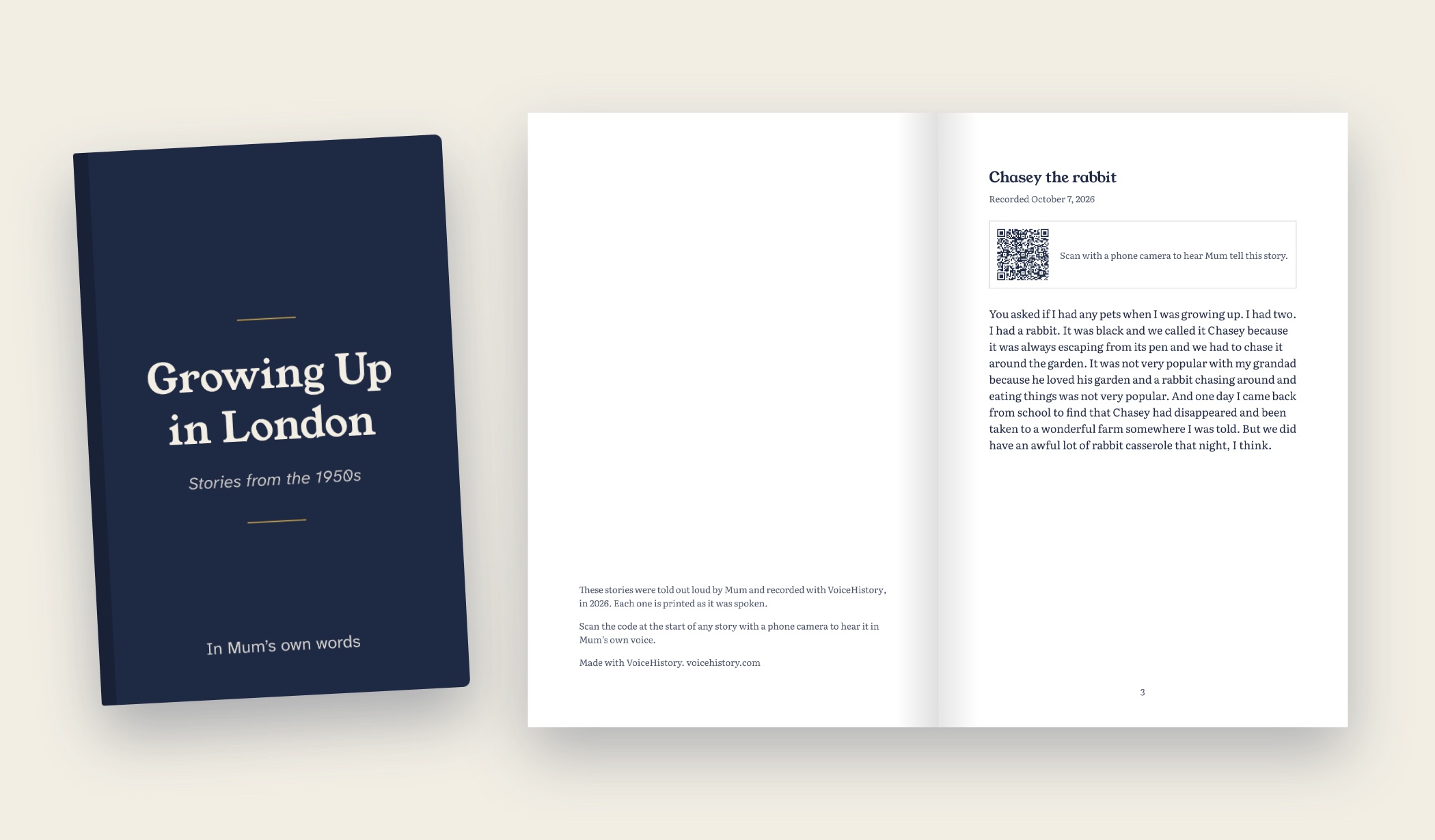
Their stories in a printed hardcover, free with the yearly plan until December 31.
Don’t pick a favorite.
Most story services charge per parent. VoiceHistory includes both, so Mom and Dad each get their own questions and their own journal.
$99 a year, for both parents
Holiday special: a free printed hardcover of their stories (normally $45) with the yearly plan. Ends December 31.
- Questions by email, starting the day you choose
- They answer out loud from a link. No app, no camera, no password
- Every story kept as a recording and a written copy
- Your note at the top of their first email, and a card you can print and hand them
Renews at $99 a year unless you cancel. We email you before it renews, and you can cancel online any time.
How the gift works
Create your account and add Mom and Dad. Both are included.
Pick their questions and the day the gift arrives, like Christmas morning, and add a note from you.
On that day their first email opens your gift. They tap the button and talk. You get the recording and a written copy.
$99 a year for both parents, or $12 a month. Free 14-day trial to start.
Easy for them, kept for you
What they get
- Your note, at the top of their first email
- A question by email, as often as you choose
- One button to press when they’re ready to talk
- No app to install and no password to remember
What you get
- Their answers in their own voice
- A transcript of every recording, easy to search
- Everything kept private in your account
- A printed hardcover when you’re ready, with a code beside each story that plays their voice
A note to give with it
It lands best when they hear it from you first. Copy this into a card or an email, and change anything you like.
Set up their giftDear Mom,
I wanted to give you something more personal than flowers.
Every so often I’ll send you a question about your life, our family, or a memory I’d love to hear in your own words.
All you have to do is open the email, press record and talk. Your voice is saved, along with a written copy, so the family can keep it.
There’s no app to install and nothing to set up. I’ve done that part. You just tell the stories.
With love
Questions about the gift
Whose subscription is this?
Yours. You create the account, choose the questions and keep the recordings. Inside it, you set up a journal for the parent or grandparent you’re giving it to.
Does the person I’m giving it to need an account?
No. They don’t buy anything, sign up or install an app. They get your question by email, tap the link and talk.
Where do their recordings go?
Into the journal you made for them, in your account. Each answer is saved as the recording and a written transcript. Later you can turn them into a printed book.
Can I give it to both parents?
Yes, and you don’t pay twice. Every plan includes 2 people, so Mom and Dad each get their own questions and their own journal. More people are $3 a month each.
How often do they get a question?
You decide. Weekly is the most common, but you can send them as often or as rarely as you like, and write your own questions or pick from ours.
What does it cost?
$99 a year (or $12 a month), for both parents. A printed hardcover of their stories is $45, with US shipping included.
What is the free book?
Choose the yearly plan by December 31 and your first printed hardcover is free (normally $45). Use it any time in the next 12 months, once their stories are in. Extra copies and a second parent’s book are $35 and $45.
Does it renew?
Yes. Like most subscriptions it renews each year at $99 unless you cancel, and we email you before it does. You can cancel online any time in two clicks, and their stories stay yours to download.
Another question? Write to us
Set it up tonight. Give them the note whenever you’re ready.